SmartSearchOptimizer — AI-Powered Zero-Result Search Fixer
v1.0.0SmartSearchOptimizer — AI-Powered Zero-Result Search Fixer
Turn dead-end storefront searches into high-converting sales with automated AI intelligence.
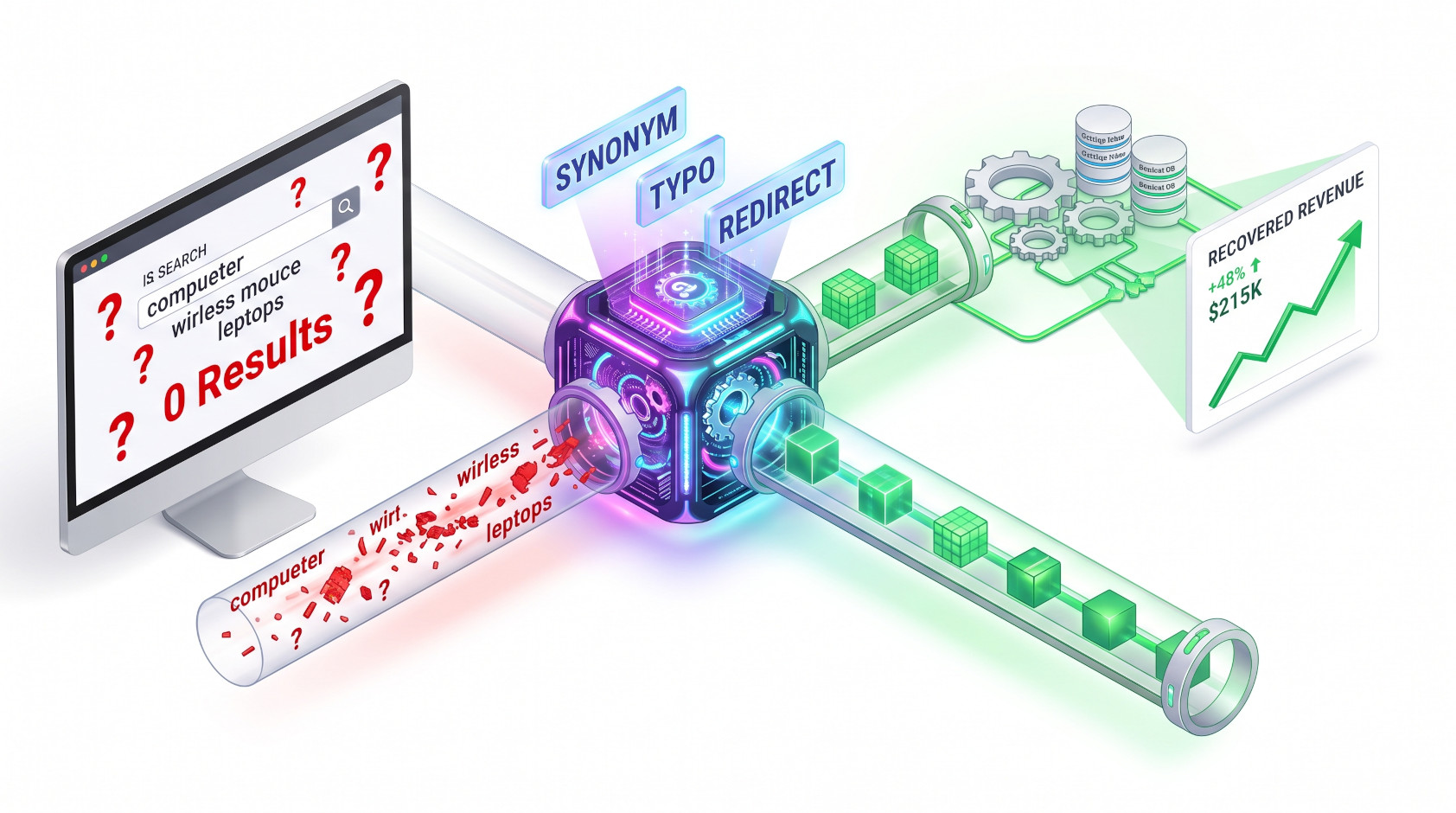
Shoppers using your search bar are your highest-intent buyers—they know what they want and are ready to purchase. However, when a simple typo, missing accent, regional slang, or alternate term triggers a "0 results found" page, up to 80% of those shoppers leave immediately for a competitor.
SmartSearchOptimizer solves search abandonment forever: it captures zero-result searches asynchronously, leverages AI to classify customer intent, and lets you deploy native fixes directly into Magento’s search engine with a single click.
🔑 Key Features & Business Benefits
- AI-Powered Zero-Result Classification:
Sends failed queries to the AI engine to automatically classify why they failed: - Synonym: Detects alternate product terminology (e.g., "bike" ➔ "bicycle").
- Typo: Automatically corrects misspellings and missing accents (e.g., "compueter" ➔ "computer").
- Redirect: Identifies informational queries (e.g., "opening hours", "returns policy") and points shoppers straight to the right CMS page.
- Missing Product: Flags genuine customer demand for products not currently in your catalog—a valuable buying signal for sourcing.
- Spam Filtering: Automatically detects and isolates bot-generated noise.
- 1-Click Native Injection (No Vendor Lock-In):
Unlike third-party search SaaS platforms, fixes are written directly into Magento’s nativeSearch SynonymsandSearch Termsinfrastructure. Approved synonyms and redirects immediately take effect across Elasticsearch / OpenSearch without external scripts. - Lost-Revenue Dashboard:
Gain full visibility into your store's zero-result search volume over the last 7 days. The admin grid displays total query hits alongside an estimated lost-revenue calculation based on your configurable Average Order Value (AOV) and conversion rates. - Nightly Auto-Classification (Optional):
Enable automated background runs so the AI classifies new zero-result terms overnight. In the morning, administrators simply review high-confidence suggestions and click Batch Approve. - Zero Storefront Performance Impact:
Zero-result search capture runs asynchronously via a RabbitMQ queue consumer. Storefront search latency remains completely untouched (0 ms added overhead).
1.0.0
-
Fixed: a critical error when opening the Zero-Result Queries admin grid.
-
Fixed: the Apply action was missing from the grid for rows the AI could actually fix.
-
Fixed: the grid no longer requires a manual page refresh after Analyze/Apply/Dismiss — it now updates in place.
-
Fixed: approved synonym suggestions (e.g. typo corrections, alternate product names) now actually affect storefront search results, both in the search box suggestions and after pressing Enter — previously they were saved but silently had no effect on what shoppers could find.
-
Added: Delete action (single row and bulk "Delete Selected") to permanently remove zero-result query rows.
-
Added: Edit Suggestion action to manually correct the AI's suggested fix, available once a row has been analyzed.
-
Fixed: newly added grid actions could appear unresponsive right after deployment due to a stale cached admin asset version.
-
Added: AI-powered zero-result search analysis. Searches that return no results are now automatically captured and can be classified by AI into synonym, redirect, typo, missing product, or spam suggestions.
-
Added: one-click Apply for AI suggestions — synonym and typo fixes are added to the store's search synonyms, and redirect suggestions send shoppers straight to the right page.
-
Added: Batch Approve action to apply all high-confidence suggestions at once.
-
Added: an admin dashboard showing recent zero-result search volume and an estimated lost-revenue figure.
-
Added: optional nightly automatic classification of new zero-result searches.
Frequently Asked Questions
The module utilizes a fully asynchronous architecture powered by a dedicated RabbitMQ queue consumer. When a customer triggers a zero-result search, a lightweight plugin publishes the query to the background queue without blocking the search response or adding latency to the storefront. Additionally, a periodic backfill sweep runs in the background as a safety net to catch any queries if the message queue is ever offline.
The module writes fixes directly into Magento's stock search infrastructure rather than using proprietary external tables:
- Synonym & Typo fixes: Automatically added to Magento's native Search Synonyms groups (visible under Marketing > Search Synonyms), correctly scoped per store/website.
- Redirect suggestions: Automatically injected into the redirect target URL field of Magento's native Search Terms (visible under Marketing > Search Terms), immediately rerouting future searches to the specified page.
The dashboard calculates this business impact metric using the following formula:
$$\text{Estimated Lost Revenue} = \text{Hit Count} \times \text{Average Order Value (AOV)} \times \text{Assumed Conversion Rate (%)}$$
Both the Average Order Value and the Assumed Conversion Rate are fully configurable in your store settings under Stores > Configuration > WebtechSolutions > SmartSearchOptimizer to match your store's real operational metrics.
Yes. While you can manually click "Analyze Now" on individual rows or run bulk classification via the command line (bin/magento ss:analyze), you can also enable the Auto-Classify Nightly setting. When enabled, a scheduled nightly cron job automatically submits all pending queries above your hit-count threshold to WebtechSolutions_AiCore for classification.
To protect your storefront search quality, the Batch Approve Selected mass-action enforces strict confidence filtering. It will only automatically apply suggestions flagged with High AI confidence. Any rows evaluated with Medium or Low confidence are skipped during bulk actions so administrators can inspect and edit them manually.